

Every event production manager has been there: a truck pulls up to a venue, the crew starts unloading, and something critical is missing. A cable snake, a spare wireless pack, the confidence monitor nobody remembered to add. That gap almost always traces back to a rental pull sheet that was incomplete, outdated, or living in someone's personal spreadsheet. Understanding what is a rental pull sheet, how it works, and where most teams go wrong with it can be the difference between a flawless load-in and a frantic call to the warehouse.
Table of Contents
- What is a rental pull sheet and why is it essential?
- How rental pull sheets are created and managed: manual vs. digital systems
- Common errors and best practices when using pull sheets in event rentals
- Rental pull sheets compared to other event logistics documents
- How to use rental pull sheets for streamlined equipment workflows
- Why relying on traditional rental pull sheets can hold your event production back
- Streamline your rental pull sheets with My Show Flow
- Frequently asked questions
Key Takeaways
| Point | Details |
|---|---|
| Definition | A rental pull sheet lists and tracks all equipment to pull for a live event. |
| Manual challenges | Using spreadsheets for pull sheets risks data errors and communication breakdowns. |
| Best practices | Standardize terms and keep pull sheets simple to improve accuracy and usage. |
| Document roles | Pull sheets differ from call sheets and manifests by focusing strictly on gear logistics. |
| Modern solutions | Leveraging digital rental management software increases efficiency and reduces errors. |
What is a rental pull sheet and why is it essential?
A rental pull sheet is a document that lists every piece of equipment to be pulled from inventory and prepared for a specific event or client order. Think of it as your warehouse team's instruction set. It tells them exactly what to grab, confirms who is responsible for each item, and creates a paper trail from the moment gear leaves the shelf to the moment it returns.
In AV rental operations, a pull sheet typically covers:
- Equipment name and asset ID for precise identification
- Quantity needed for each line item
- Assigned event or client order so nothing gets mixed up across concurrent jobs
- Check-out date and expected return date to manage availability windows
- Condition status at the time of pull
- Staff member responsible for the pull and the return
The pull sheet is not just an inventory list. It is an operational handoff document. The film call sheet concept offers a useful parallel: just as a call sheet acts as the "central nervous system" for synchronizing timing, resources, and responsibilities on a film set, a rental pull sheet performs that same coordination function for equipment logistics in live event production.
Without a reliable pull sheet, warehouse teams rely on memory, verbal instructions, or fragmented emails. That is where gear goes missing, doubles get pulled, and clients start asking uncomfortable questions on show day. Proper pull sheet discipline, backed by solid rental management solutions, keeps every team member working from the same source of truth.
How rental pull sheets are created and managed: manual vs. digital systems
Most small to mid-size AV rental companies build their pull sheets in Excel or Google Sheets. It works until it doesn't. The essential columns in any functional pull sheet include transaction ID, asset ID, asset name, checked out by, check-out date, and expected return date. That baseline gets the job done for a company running five events a month. At twenty events a month, the cracks start showing.

Here is a direct comparison of what you are dealing with in each approach:
| Feature | Manual spreadsheet | Digital management system |
|---|---|---|
| Real-time updates | No | Yes |
| Error rate | High | Low |
| Overdue item alerts | Manual follow-up | Automated reminders |
| Multi-user access | Limited, version conflicts | Concurrent, cloud-based |
| Audit trail | Inconsistent | Complete and timestamped |
| Client communication | Separate process | Integrated |
The numbers back up what most experienced managers already feel in their gut. Data accuracy challenges affect nearly 47% of workforce planning leaders using spreadsheet-based equipment checkout workflows. And despite that, over 50% of organizations still depend on manual spreadsheets for operations where better tools exist.
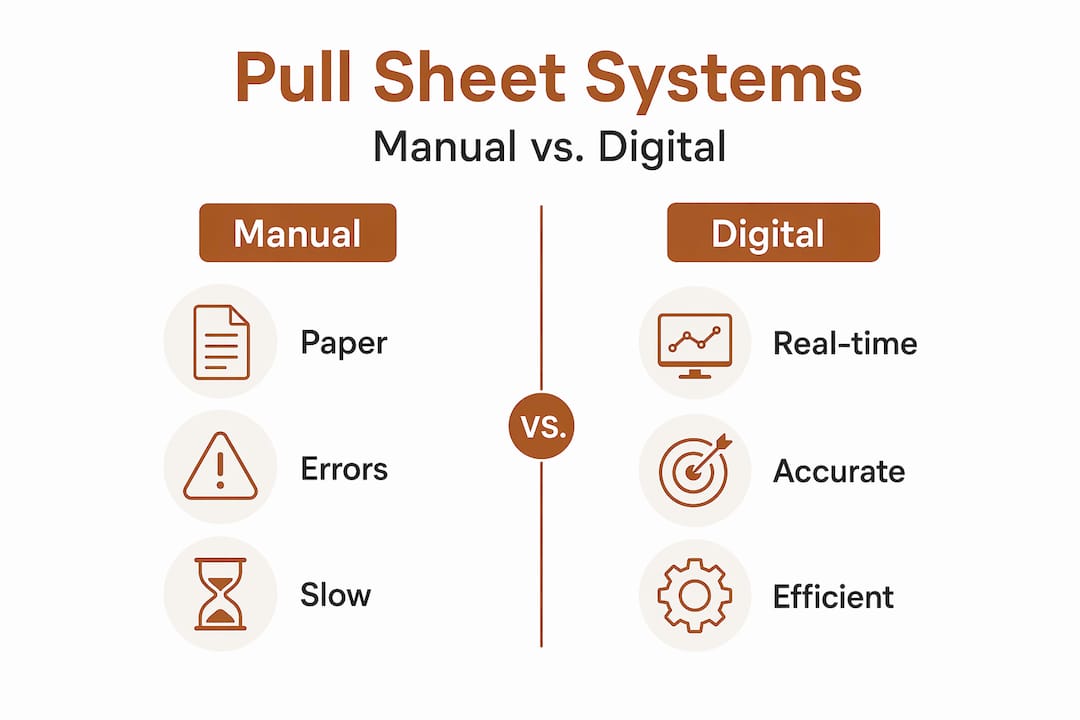
The core problem with spreadsheets is not the format. It is the behavior they encourage. When a warehouse tech updates a local copy, that change does not automatically reach the production coordinator or the truck driver. You end up with three versions of the pull sheet floating around on show day, and nobody is sure which one is current.
Common signs your pull sheet system is breaking down:
- Gear arrives on site that was not on the order
- Items are missing because they were pulled for a different job
- Return processing takes days because nobody updated the check-in column
- Clients call asking about equipment status and nobody has a clear answer
Pro Tip: Even if you are not ready to move to a fully digital system, assign one person as the "pull sheet owner" for each event. That single point of accountability reduces version confusion and ensures updates actually happen. Pair this with integrated rental management software when you are ready to scale.
Common errors and best practices when using pull sheets in event rentals
The most damaging pull sheet errors are not dramatic. They are small, quiet mistakes that compound. A missing asset ID means the warehouse pulls the wrong unit. An unclear condition note means a damaged item ships to a client. A return column that nobody updates means a piece of gear gets double-booked two weeks later.
Here are the most common errors production teams make, and how to fix them:
- Skipping asset IDs. Using only asset names creates ambiguity when you own multiples of the same item. Always tie each line to a specific asset ID.
- Vague condition labels. Terms like "okay" or "needs work" mean different things to different people. Standardize to clear labels like New, Return, or Salvage so warehouse teams make consistent decisions without guessing.
- Not logging returns promptly. A pull sheet that tracks check-out but not check-in is half a document. Build return logging into your post-event workflow, not as an afterthought.
- Overloading the sheet with unnecessary columns. More fields mean more places for errors. Keep it focused on what warehouse and logistics teams actually need.
- No review step before the event. Pull sheets should be reviewed with the warehouse team at least 24 hours before load-out, not the morning of.
"Experienced managers standardize condition labels to avoid confusion and factor in a 5-10% discrepancy margin for missing items due to spreadsheet errors."
That 5-10% margin is not an excuse for sloppy tracking. It is a realistic buffer that experienced teams build into their reconciliation process. If your discrepancy rate is consistently above that, the pull sheet system itself needs an audit.
Pro Tip: Schedule a monthly pull sheet audit. Pull three to five completed sheets from past events and check them against your actual inventory records. Patterns in errors, like a specific category of gear that consistently comes back unlogged, will surface quickly.
Rental pull sheets compared to other event logistics documents
Production teams often conflate pull sheets with call sheets and manifests. They are related but serve very different functions, and using the wrong document for the wrong workflow creates gaps.
| Document | Primary focus | Used by | Key content |
|---|---|---|---|
| Pull sheet | Equipment logistics | Warehouse, logistics | Asset IDs, quantities, check-out/in dates |
| Call sheet | Personnel and timing | Crew, production staff | Schedules, locations, contacts, roles |
| Manifest | Shipment contents | Drivers, receiving teams | Item list, quantities, shipping details |
Here is the practical distinction:
- A pull sheet answers: What gear needs to leave the warehouse, when, and for which event?
- A call sheet answers: Who needs to be where, and at what time?
- A manifest answers: What is in this truck or shipment?
A manifest tells you what is in the truck. A pull sheet tells you what should be in the truck. Those two documents should match. When they do not, that is your first warning sign that something went wrong in the pull process. Understanding these distinctions prevents the common situation where a crew lead shows up with a call sheet expecting equipment details, or a warehouse tech tries to use a manifest to figure out what to pull.
How to use rental pull sheets for streamlined equipment workflows
Knowing what a pull sheet is matters far less than knowing how to use it well. Here is a practical workflow that production managers at AV rental companies can apply immediately:
- Build the pull sheet when the order is confirmed, not the day before the event. Early creation gives your warehouse team time to flag unavailable items and source alternatives.
- Include full asset details from the start. Asset ID, name, quantity, assigned event, responsible staff member, check-out date, and return date should all be populated before the sheet reaches the warehouse.
- Review the pull sheet with your warehouse and logistics teams at least 24 hours before load-out. Walk through it together. Discrepancies caught in a meeting cost minutes. Discrepancies caught on site cost hours.
- Update the sheet in real time as items are checked out. If someone pulls a spare unit because the primary is unavailable, that swap needs to be logged immediately, not later.
- Use condition codes and notes to flag any gear that needs inspection or repair before it ships. A note like "Inspect before use, cable fraying" protects both your client and your liability.
- Communicate pull sheet status to the client when relevant. If a specific piece of gear is unavailable and a substitute is being sent, the client should know before show day, not during it.
Pro Tip: When you use rental workflow optimization tools that integrate pull sheet creation with your order management system, step one becomes automatic. The pull sheet generates from the confirmed order, and your team starts with accurate data instead of building from scratch.
Why relying on traditional rental pull sheets can hold your event production back
Here is the honest reality that most articles on this topic skip: manual pull sheets are not just inefficient. They are a structural liability that grows more dangerous as your company scales.
When you are running ten events a month, a spreadsheet-based pull sheet system is manageable. You know the gear, you know the team, and errors get caught through familiarity. At thirty events a month, that familiarity disappears. The same spreadsheet habits that worked at small scale now create supply chain-level costs through errors and delays, which is why manual spreadsheet dependency continues to cost organizations millions despite better options being available.
The hidden cost is not just the missing cable or the double-booked projector. It is the labor hours spent on reconciliation, the client phone calls that erode trust, and the production coordinator who spends two hours on show morning chasing down gear that should have been confirmed two days earlier.
Experienced managers often adopt a hybrid approach during the transition: using pull sheets as operational guides while layering in digital tracking for real-time updates. That is a smart bridge. But the end goal should be a system where the pull sheet is generated automatically from a confirmed order, updated in real time by warehouse staff on mobile devices, and visible to the production coordinator and client simultaneously.
The future of rental pull sheets is not a better spreadsheet. It is a living document embedded in your rental technology solutions that updates automatically, sends alerts when items are overdue, and gives every stakeholder the same current view. Teams that move in that direction stop fighting fires and start preventing them.
Streamline your rental pull sheets with My Show Flow
Managing pull sheets manually is a problem that scales badly. My Show Flow was built specifically for AV rental and live event production teams who need more than a spreadsheet can offer.
With My Show Flow rental management solutions, you can generate pull sheets directly from confirmed orders, track check-out and check-in with QR code scans, and get automated overdue alerts without any manual follow-up. Real-time status updates keep your warehouse team, production coordinators, and clients working from the same accurate information. The migration from spreadsheets is straightforward, and the impact on your event day accuracy is immediate. If your current pull sheet process is slowing your team down, My Show Flow gives you the infrastructure to fix it.
Frequently asked questions
What is the main purpose of a rental pull sheet in event production?
A rental pull sheet organizes and tracks all equipment items to be pulled from inventory for an event, ensuring nothing is missed or misplaced. As noted in film production logistics, it functions as the coordination backbone for equipment timing and responsibility across teams.
Why are manual spreadsheets risky for managing pull sheets?
Manual spreadsheets are prone to data entry errors and version conflicts, which cause inventory discrepancies and costly event disruptions. Data accuracy issues affect nearly 47% of leaders using spreadsheet-based equipment checkout workflows.
What key information should a rental pull sheet include?
A rental pull sheet should include transaction ID, asset ID, asset name, checked out by, check-out date, and expected return date. Professional pull sheets include at least ten essential columns to support accurate tracking and reconciliation.
How can digital tools improve rental pull sheet management?
Digital tools automate updates, enable real-time tracking, and send overdue alerts without manual intervention. Spreadsheet dependency costs organizations significantly through errors and delays that automated systems eliminate.
Are rental pull sheets the same as call sheets?
No. Rental pull sheets focus on equipment logistics, while call sheets coordinate people, timing, and scheduling. A film call sheet covers personnel and production timing, while a pull sheet covers what gear needs to ship, when, and to where.